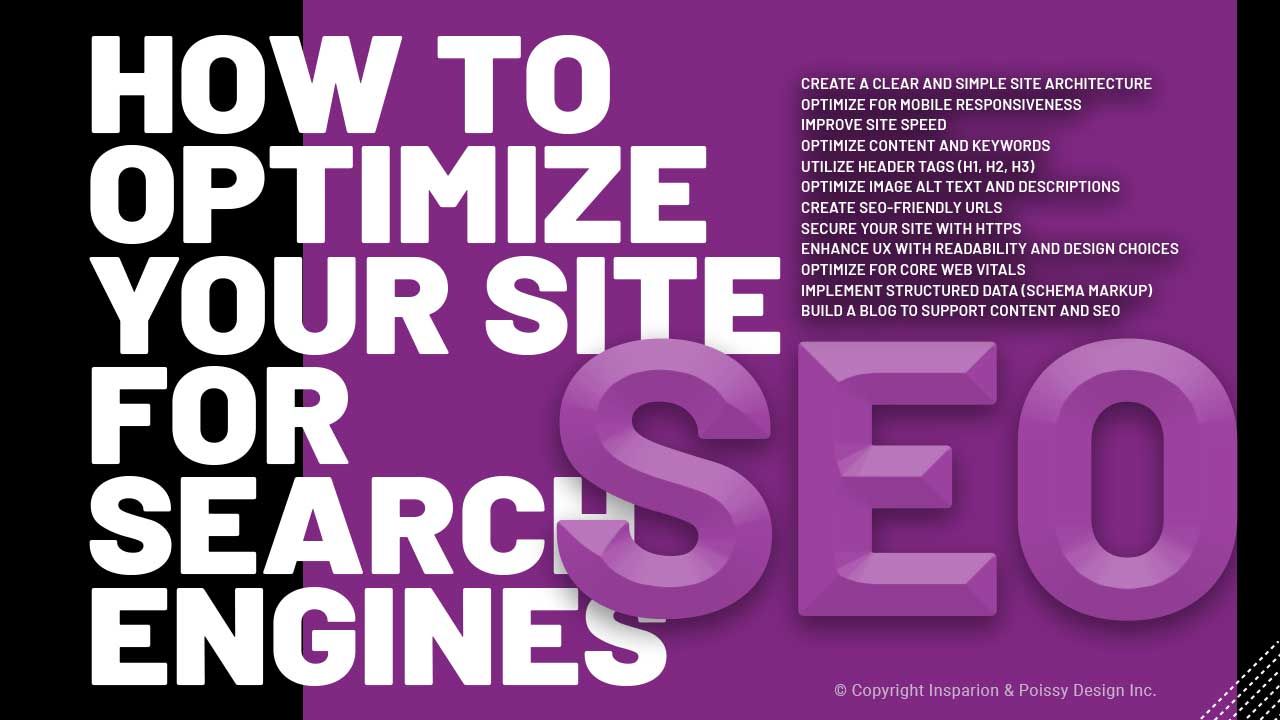
How to Optimize Your Website for Search Engines (SEO)
Oct 26, 2024Good web design and good SEO go hand in hand. The same things that make a site easy to use, like a clear structure, fast pages and readable content, also help search engines understand it and rank it. Here are twelve practical ways to build a website that works for both visitors and search engines.
1. Keep the site structure clear and simple
How your site is organised affects how easily people find things and how easily search engines can crawl your pages.
- Use a logical hierarchy. Put your main topics at the top level and related pages beneath them, so the relationships between pages are obvious.
- Link between related pages. Internal links help visitors find more of your content and help search engines discover and understand your pages. Use link text that describes where the link goes, not "click here".
2. Make it work well on phones
More web traffic now comes from phones than from computers, and Google mainly uses the mobile version of a site to decide how to rank it. A site that's awkward on a phone loses both visitors and visibility.
- Use a responsive design that adjusts to any screen size, with easy navigation, readable text and buttons that are easy to tap.
- Test on real devices. Check your site on a few different phones, and use Google's PageSpeed Insights or Lighthouse to spot mobile problems such as tiny buttons or elements that overlap.
3. Speed up your pages
Slow pages frustrate visitors, and many of them won't wait. Page speed is also part of how Google judges the experience your site gives.
- Optimise images. Large images are one of the most common causes of slow pages. Compress them with a tool like TinyPNG or Squoosh, and use modern formats such as WebP, which keep quality while cutting file size.
- Trim your code. Minifying CSS, JavaScript and HTML, and removing scripts you don't need, can make a noticeable difference.
4. Write for the searches people actually make
Keywords help the right people find your content. Longer, more specific phrases often bring in visitors who know exactly what they're looking for. Semrush has a good guide to what keywords are and how to use them.
- Use keywords naturally in your titles, headings and text. Stuffing a page with repeated keywords hurts more than it helps.
- Focus on quality. Useful, in-depth content keeps people reading. Keep important pages up to date so they stay accurate and relevant.
5. Use headings properly
Headings organise a page for readers and help search engines understand its structure.
- One H1 per page. It's the main title, and it should say clearly what the page is about, ideally including your main keyword.
- H2s and H3s for sections. Use them in order to break the page into sections and subsections, so it's easy to scan.
6. Describe your images
Search engines can't see images the way people do, so they rely on the text you give them. Alt text also matters for accessibility, because screen readers read it aloud to people who can't see the image.
- Write useful alt text. Describe what the image shows in a short sentence, using a relevant keyword only where it fits naturally.
- Name image files properly. "blue-ceramic-vase.jpg" tells a search engine far more than "IMG_1234.jpg".
7. Keep URLs short and readable
A clean URL tells people and search engines what a page is about before they open it.
- Keep it simple. Use a few words separated by hyphens and leave out anything unnecessary.
- Include a keyword where it makes sense, but avoid long, repetitive URLs that look spammy.
8. Use HTTPS
HTTPS encrypts the connection between your site and your visitors, which protects their information. Google uses it as a ranking signal, and browsers flag sites without it as "not secure", which puts people off. Most hosting providers and platforms, including Kajabi, include an SSL certificate, so check that yours is switched on.
9. Make it easy to read
A site that's comfortable to read keeps people around longer, and that helps your SEO indirectly.
- Choose readable fonts and sizes. Save decorative fonts for headings, if you use them at all.
- Use white space. Space around text and images makes a page feel less crowded and helps people focus on what matters. There's more on this in my article on website design trends.
10. Check your Core Web Vitals
Core Web Vitals are Google's measures of how a page feels to use. They're part of how Google assesses page experience, and you can check them in PageSpeed Insights or Google Search Console.
- Largest Contentful Paint (LCP) measures how quickly the main content appears. Aim for under 2.5 seconds. Optimising images and reducing heavy scripts both help.
- Interaction to Next Paint (INP) measures how quickly the page responds when someone clicks, taps or types. It replaced the older First Input Delay measure in 2024. Cutting down on heavy JavaScript and third-party scripts usually improves it.
- Cumulative Layout Shift (CLS) measures how much the page jumps around while it loads. Setting sizes for images and embeds keeps it low.
11. Add structured data
Structured data, also called schema markup, is code that tells search engines exactly what's on a page, such as an article, a product, an event or a set of FAQs. It can help your pages appear with extra details in search results.
- Mark up what matters. Focus on the types that fit your content, such as articles, products, events or FAQs.
- Use the tools. Many platforms and plugins add schema for you, and Google's Rich Results Test shows whether yours is working.
12. Keep a blog
A blog gives you a steady way to answer the questions your audience is searching for, and to target more specific searches than your main pages can.
- Choose quality over quantity. One useful article is worth more than several thin ones. Link to your other pages where it helps the reader.
- Write evergreen content. Guides and how-to articles that stay relevant keep bringing in visitors long after they're published.
Bringing it together
SEO isn't a separate layer you add at the end. Most of it comes from building a site that's well organised, fast, easy to read and useful. Get those foundations right and you'll serve both your visitors and the search engines that send them to you.