Why Experts Have the Most Confusing Kajabi Homepages (And How to Fix Yours in an Afternoon)
Oct 08, 2026The more you know about your subject, the harder it can be to explain it simply. That's a common problem for coaches and experts building a website, and it shows up most clearly on the homepage.
You have the experience, you have the offers and you've put real money into your Kajabi site. But the homepage tries to say so much at once that a first-time visitor can't tell what you do or whether it's for them. They scroll for a moment and leave, without opting in or getting in touch.
In most cases the design isn't the problem. The page is trying to do too many things at once.
Why homepages get cluttered
A cluttered homepage is rarely the result of bad taste. It usually happens because the person who built it cares about a lot of things and wants all of them on the page: the signature program, the one-to-one coaching, the free download, the credentials, the story, the testimonials and the workshop coming up next month.
All of that matters to you. But a first-time visitor doesn't have your context. They arrive with one question, "Is this for me?", and if the page doesn't answer it quickly and clearly, they leave. Usually it's not because the offer is wrong. It's because the page made them work too hard to find out.
Seven things that push visitors away
1. The welcome section is about you, not them
"Welcome to my site." "I'm Jane, a certified coach with 15 years of experience."
A lot of homepages open like this, and it uses up the most valuable space on the site. Your visitor didn't arrive curious about you. They arrived with a problem. Open with their situation instead, so the first line makes them feel understood. Your credentials will mean more once they already recognise themselves on the page.
2. The hero section is trying to do everything
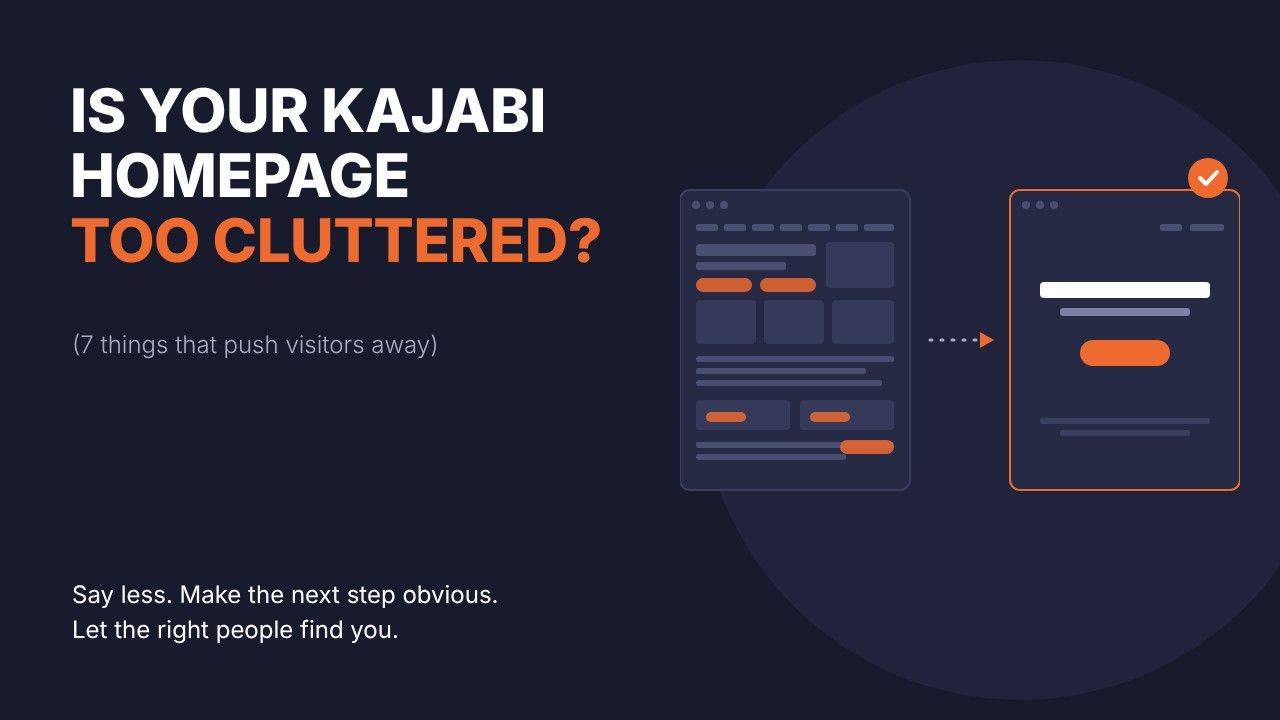
Even with a good headline, the top of the page often has too much going on: a headline, a subheading, a busy background image, an embedded video, a button and a menu with six or seven links. The eye has nowhere to settle.
Keep it to a headline, one supporting line and one button. The hero section's job is to get the right person to keep reading.
3. Several buttons compete on the same screen
"Book a call", "Download my free guide" and "See my courses" all appear before the first scroll, and with everything presented as equally important, none of it stands out.
Choose one main action for the page and build towards it. Repeat that button two or three times as people scroll, in the same style and always leading to the same place. Anything else can stay on the page, but make it visually quieter.
4. The menu gives people too many ways out
A typical menu might read: Home, About, Services, Blog, Contact, Work With Me, Free Resource, Shop.
Every link is a way to leave the path you've planned. Eight options give a first-time visitor eight places to go other than the one you most want. Keep the top menu short and put the fuller list of links in the footer. Let people move down the page first, and go deeper once they're interested.
5. The page follows your business structure, not the visitor's problem
This is the big one. Many homepages are laid out like an org chart: about me, services, courses, blog, contact. That order makes sense to you because you built the business. It doesn't help a stranger who searched for their problem and landed on your site.
A clearer homepage follows the order a visitor thinks in:
- The problem you solve (the hero section)
- What that problem is costing them
- Why you understand their situation
- The clearest way forward (your offer)
- What others say (testimonials)
- The next step (your main button)
6. Testimonials come before people know what you do
Putting testimonials right at the top can feel like a shortcut to trust. But a visitor who doesn't yet know what you do or who you help won't get much from a glowing review, because they can't tell whether it applies to them.
Testimonials work best once the visitor has recognised their problem and is interested in your solution. At that point they back up something the visitor already half believes.
7. You built it on a big screen, but many visitors are on a phone
Most homepages are built and checked on a large monitor with a fast connection. More than half of web traffic now comes from mobile devices, and a page that looks polished on your desktop can be cramped, long and slow on a phone. Large background images, embedded videos and lots of stacked sections all add to the load time.
Open your homepage on your own phone. If you have to zoom to read it, the buttons are hard to tap or it takes a while to load, you're probably losing people before they've read a word.
Why it's hard to see on your own site
These problems are hard to spot on your own site because you know what every section means and why it's there. Your brain fills in context that a stranger simply doesn't have.
Asking a friend doesn't help much either, because they'll be kind. A more useful approach is to look at the page the way a stranger would and ask yourself a few direct questions.
A quick check for your homepage
Open your homepage and answer yes or no to each of these:
- Does the first line describe your visitor's problem or situation, rather than introducing you?
- Is the top section limited to a headline, one supporting line and one button?
- Is there only one main button before the first scroll?
- Does your top menu have five links or fewer?
- Does the page move from the visitor's problem to your solution to their next step, rather than following your business structure?
- Do your testimonials appear after you've explained what you do and who it's for?
- Now open the page on your phone. Is it easy to read and quick to load, with buttons that are easy to tap?
Every "no" is a place where visitors are likely to get stuck. You don't have to fix everything at once. Start with the first one or two, because the top of the page is where most people decide whether to stay.
Homepage review
Want a second pair of eyes?
It's hard to judge your own homepage objectively, and that's often where a fresh perspective helps most. I'll go through your Kajabi homepage with you, show you where it's losing people and what to change first.
If your website is meant to be working for you when you're not, it's worth finding out whether it is.